
How to Organize Cables and Chargers Neatly: Easy Tips and Tricks
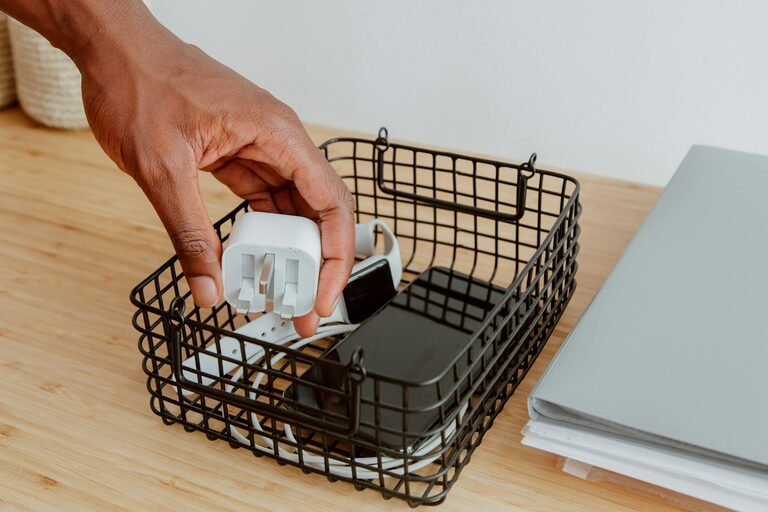
Keeping cables and chargers neatly organized can transform your workspace and home, reducing clutter and frustration. Whether you have a few essential cords or a drawer full of chargers, tidy arrangements help you find what you need quickly and protect your electronics from damage. This guide will walk you through practical methods to organize cables and chargers efficiently.
Why Organizing Cables and Chargers Matters
Messy cables create visual chaos, make cleaning tougher, and can even become tripping hazards. More importantly, tangled cords wear out faster and connectors might get damaged. By organizing your charging cables and wires, you extend their life and maintain a cleaner, safer, and more productive environment.
Assess Your Cables and Chargers
Start with a quick inventory:
– Gather all cables, chargers, adapters, and power cords in one place.
– Identify the purpose of each item and test if they still work.
– Discard or recycle any damaged or outdated cables.
– Separate cables by type (USB, HDMI, power cords, audio cables).
This assessment helps you keep only what’s necessary and makes storage easier.
Essential Tools and Supplies for Cable Organization
Before you start organizing, having the right tools can make the process smoother. Consider:
– Cable ties or Velcro straps: For bundling cables neatly.
– Cable clips or holders: To secure cables on desks or walls.
– Cable sleeves or tubes: To group multiple cables together.
– Drawer organizers or small boxes: For storing chargers and small accessories.
– Label maker or masking tape and marker: For labeling cables.
– Cord winders or spool organizers: To keep excess cable lengths manageable.
With these supplies, you can prevent tangles and maintain neatness.
Step-by-Step Guide to Organize Cables and Chargers
1. Untangle and Straighten
Begin by gently untangling each cable. Straighten them out to avoid any twists or knots before bundling or storing.
2. Group by Use or Device
Organize cables based on their function or the device they belong to. For example, group phone chargers together, separate laptop power cords, and bundle audio cables separately.
3. Shorten Long Cables
If a cable is longer than necessary, shorten it by looping the excess length and securing it with cable ties or Velcro wraps. This reduces clutter and keeps cables manageable.
4. Label Everything
Label each cable with its corresponding device or use. This step can save time when searching for a particular charger or cable, especially if several look similar.
5. Use Cable Management Solutions
– Cable clips: Attach these to the edge of your desk to hold charging cables in place and prevent them from falling.
– Cable sleeves: Encase multiple cables running in the same direction to keep them tidy.
– Drawer organizers: Place chargers and cables in labeled sections within drawers.
– Hooks or pegboards: For hanging larger cables like HDMI or Ethernet cords.
6. Store Chargers Separately
Chargers can be bulky and may have loose cables. Keep chargers together in a dedicated box or drawer using dividers to separate different types.
7. Regular Maintenance
Make sure to periodically review your cables and chargers. Remove unused items and re-organize if cables become messy again.
Creative Ideas for Cable Organization
Upcycled Solutions
Use household objects such as binder clips to hold cables on the side of your desk, or empty toilet paper rolls to store rolled cables in a drawer.
Charging Station
Create a dedicated charging station with multiple USB ports and a flat surface to place your devices while charging. This reduces scattered cables and keeps all chargers centralized.
Color Coding
Use colored cable ties or labels to easily identify cables for specific devices or locations.
Tips for Traveling with Cables and Chargers
When on the move, keeping cables organized in a pouch or small case prevents tangling and loss. Use a tech organizer with multiple compartments or individual zip lock bags for different cables.
Conclusion
Organizing cables and chargers doesn’t have to be a daunting task. By categorizing, labeling, shortening, and using simple storage tools, you can maintain a tidy space and extend the life of your electronics. Start small, and you’ll quickly enjoy the benefits of a clutter-free environment with easy access to all your cables.
—
By following these tips, you can keep your cables neat and your devices ready to power up without hassle. Happy organizing!